
BrowserBear
Lets the AI agents on your Mac use your real Chrome: the profiles you're signed into and the tabs you already have open.
So I kept watching my agents have a bit of a rough time in Chrome. They'd open the wrong profile, end up in the wrong Google account, or the connection would just drop halfway through a job. So I made BrowserBear, a little Chrome extension plus a service on your Mac that any agent can drive from the command line.
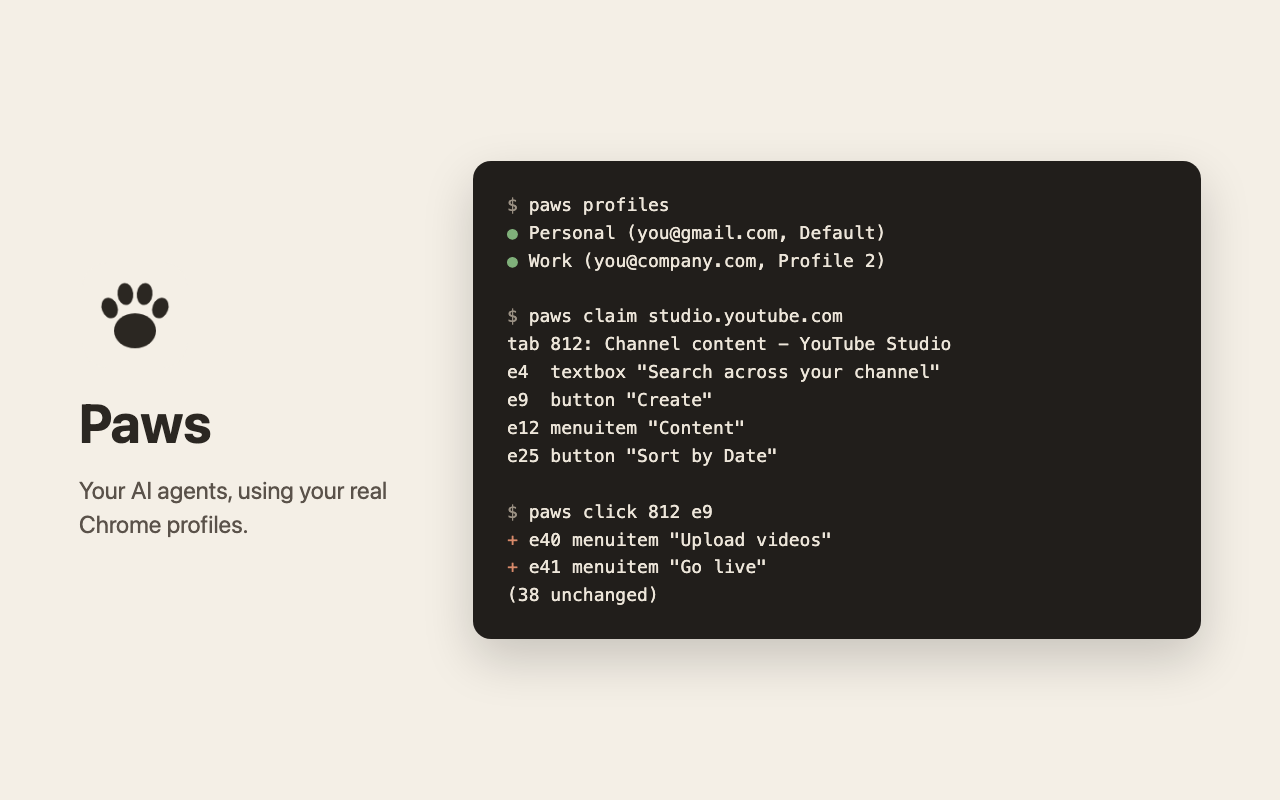
Your agent asks for a profile by its name or email ("Work"), so it ends up in the right account. It can use a tab you already have open, or open its own in a separate window so it doesn't mess with yours. Pages come back as a short list of things it can click or type in, and after the first look just what changed, which keeps it light on context. Everything stays on your Mac, there's no server and no account.
It's very early days and Mac only for now, I'm still trying it out myself, so hopefully it's useful to you too!
Install
git clone https://github.com/mikecann/browserbear
cd browserbear && ./scripts/install.sh
Then add the extension to each Chrome profile you want agents to use. It's on its way
to the Chrome Web Store; until then, load the repo's extension folder from
chrome://extensions with Developer mode on.
Use
browserbear profiles
browserbear claim studio.youtube.com
browserbear click 812 e9
browserbear type 812 e4 "hello" --submit
browserbear help lists the rest. The code and docs are on
GitHub.